Start with what each option really is
A progressive web app (PWA) is a website built to behave like an app. It can be added to a phone's home screen, open full screen, cache itself to work on a patchy connection and, on most platforms, send push notifications. It is still one codebase, served from a URL, and updated the moment you deploy.
A native app is built for iOS and Android specifically and distributed through the App Store and Google Play. That can mean two separate codebases in Swift and Kotlin, or one shared codebase in a cross-platform framework such as Flutter or React Native that compiles to both.
Neither is better in general. Each is better at particular jobs, and the right choice falls out of a few plain questions about your product.
Where a PWA is the stronger choice
PWAs shine when people arrive through links. If your users find you from a search result, a shared post or an email, a URL that opens straight into the product removes the whole install step. There is no store listing to find, no download to wait for and no review queue between you and a bug fix.
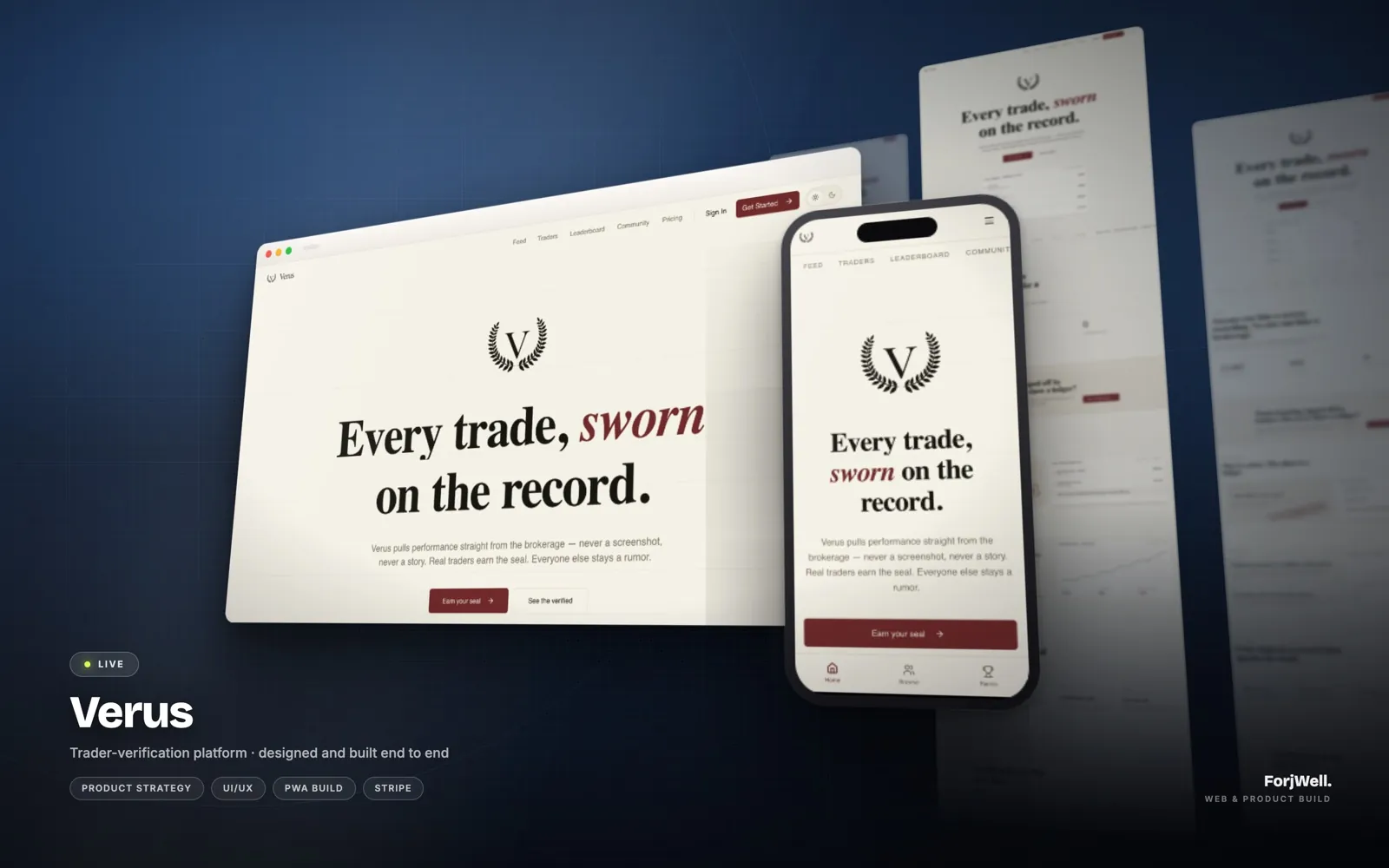
That was the reasoning behind Verus, the trader-verification platform we designed and built. Its feed, trader profiles, leaderboard, education and community ship as a single installable PWA, so a verified profile can be shared as a link and opened on any device, while people who use it daily can still install it to their home screen.
- One codebase for phone, tablet and desktop.
- Updates reach every user immediately, with no store review.
- Pages can be indexed by search engines and shared as links.
- A lower cost for the first version, which matters most before you have proven demand.
Where native earns its extra cost
Native apps are worth it when the product depends on the device itself, or when the app is used many times a day and every second of friction counts. Browsers have gained a lot of capability, but there is still a line they do not cross.
- Deep hardware access: background location, Bluetooth accessories, advanced camera control, health data or NFC.
- Heavy offline use, where people work for hours without a connection and sync later.
- Demanding interfaces such as games, rich media editing or complex animation.
- Notifications you can rely on. Web push works on iOS only after someone has added the app to their home screen, a step many users never take.
- Discovery and trust through the stores, where some audiences expect to find you.
How each one feels in the hand
Users do not think in terms of PWA or native. They notice whether the app opens quickly, whether scrolling and gestures feel natural, and whether it remembers them. A carefully built PWA can feel excellent for most business software: lists, forms, dashboards, profiles and feeds. Where it can fall short is in the details people have learned from the platform itself, such as system share sheets, haptics, widgets and the exact feel of navigation transitions.
Native apps get those details largely for free, but they also have to follow each platform's conventions, which can mean two slightly different designs. Decide early how much platform fidelity matters to your audience. For a field team using a tool at work, it usually matters less than reliability. For a consumer product competing with apps people use every day, it can matter a great deal.
The middle path: cross-platform native
For many products the real choice is not PWA versus two native apps, but PWA versus one cross-platform app. Frameworks like Flutter let a single team ship to iOS and Android from one codebase with near-native performance and full device access.
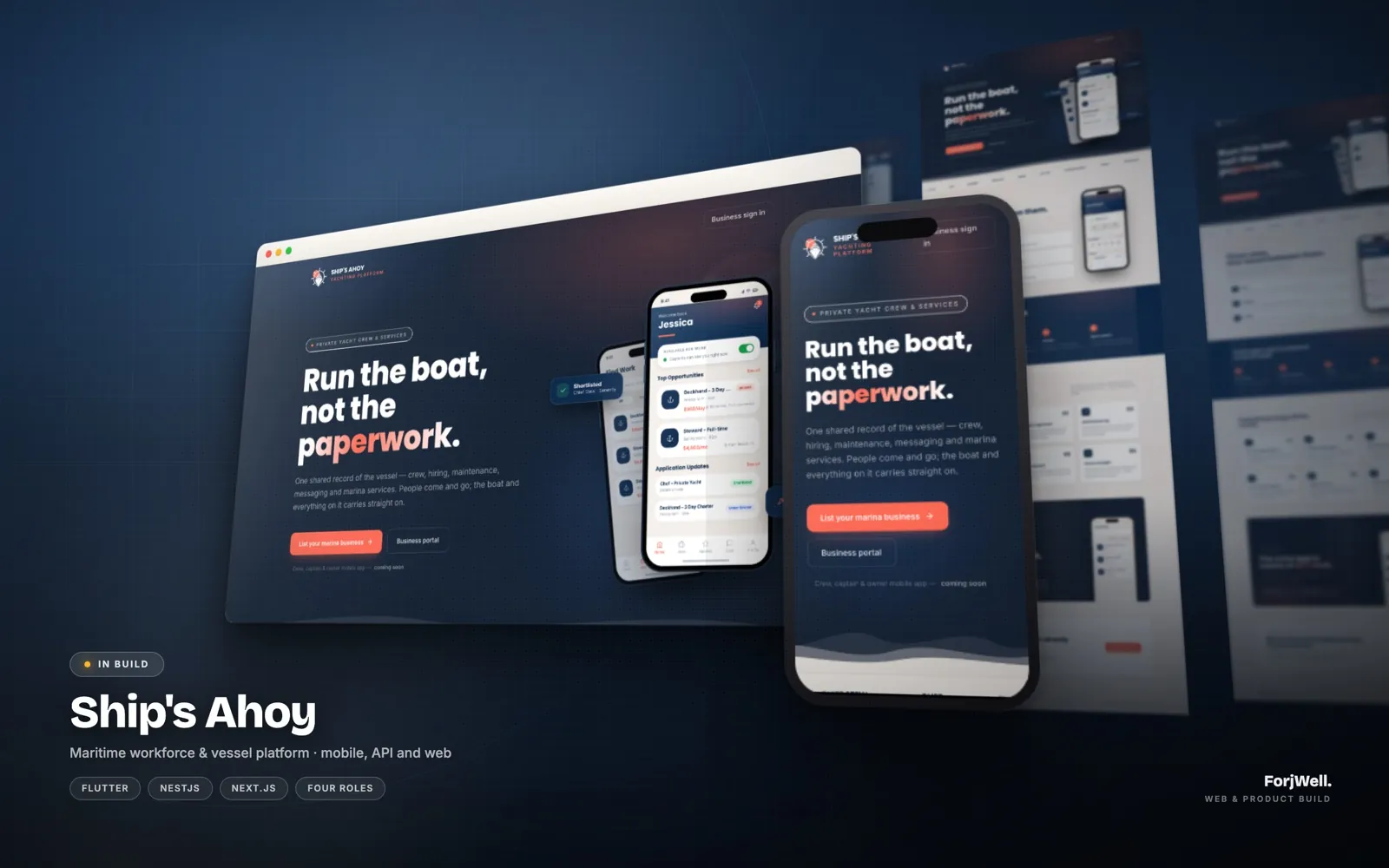
Ship's Ahoy, a maritime platform we are designing and building (it is still in build), is a good example of choosing per audience rather than per product. Crew, captains and owners live on their phones, often on the water, so they get a Flutter app covering profiles, certifications and the job board. Marina businesses work from a desk, so their portal is a Next.js web platform. Both talk to the same NestJS API, which keeps one shared record of each vessel.
Five questions that usually settle it
Answer these honestly and the decision tends to make itself:
- How do people first reach you: a link, or a store search?
- Does any core feature need hardware or background access a browser cannot provide?
- Will people use it several times a day, or a few times a month?
- Do different users sit at desks and on the move?
- Can you fund and staff store releases and yearly OS updates for two platforms?
Think about year two, not only launch
The build is only part of the cost. Native apps add developer accounts, store review cycles, screenshots and listings, and an annual round of work when Apple and Google change their operating systems. A PWA avoids most of that, but you give up some reach and capability in exchange.
Whatever you choose first, keep the business logic on the server behind a clean API. That single decision is what makes it cheap to add a native app later, or a web portal next to your mobile app, without rebuilding the product underneath.
A sensible default
If you are still testing whether people want the product, start with a well-built PWA, measure how it is used, and move to native when you have evidence that a device capability or daily habit justifies it. If the product only works with hardware access or offline, go native from the start and do not pretend otherwise.
We build all three: PWAs, cross-platform apps and fully native ones. On a free strategy call we will tell you which one we would pick for your product, and why.